Showing posts with label INTERNET. Show all posts

Gagababa (ががばば) - Scary thing to search in Yahoo Japan

Filled under: ,


STEP 1.  :
open Yahoo japan.

STEP 2:
Type or copy   ががばば and paste  into the search bar and hit enter . it is the japanese translation of the word 'Gagababa'.

STEP 3:
Ignore warning as shown in Pic by clicking the option in red circle :  Wait and  lets see what will happen.

(if u r not able to copy ががばば this word from this blog then right click on this word and select inspect element and copy from there )


Posted By Krribss01:57

Whatsapp Hack

Filled under: ,


On Daily we have heard news about online services is suffering from a lack of security. In February WhatsApp has been down for nearly four hours, as if this were not enough, people became aware of the security flaw that allows conversations that should be read by anyone provided it learn properly perform the procedures.


Steps to follow:
1 - First of all you need to have the device at hand, use the Social Engineering and be quick in getting the e-mail and backup files msgstore-2014-05-02.1.db.crypt5.
To get the email for this follow the procedures below.


Enter the Play Store and view the e-mail, or write down mentalize somewhere without the person noticing.


Now Go to the device settings from Settings -> Accounts & Sync, look for the email from Google and mentalize or write down somewhere without the person noticing.


2 - Now let's take the msgstore-2014-05-08.1.db.crypt7 file To do this, use Polaris Office or any other app that allows you to navigate between folders and manage files.

Follow this path: My files -> WhatsApp -> Databases - In this directory you will find all the backup files of your messenger.
When you do find the file sharing for your mobile phone via bluetooth.


3 - Have we got the e-mail and file backup http://whatcrypt.com/?cmd=_decrypt
we enter the site and send the backup file.

To Submit follows:
Account: Enter the email of the victim
Database: Select the database backup
Click Process / download zip
Save the zip file on your desktop


4 - Once you have downloaded the backup file in zip format we now need to download the tool to extract the backup and we have access to conversations. Save on the desktop.


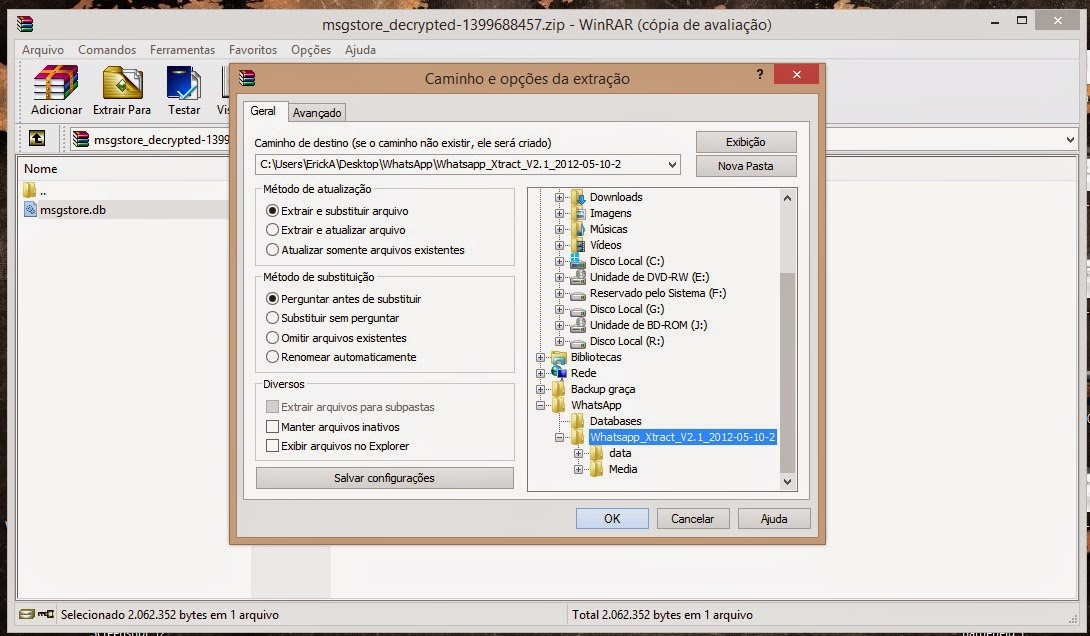
5 - From the desktop to extract the file WhatsApp Decrypt.zip install python-3.4.0 folder and enter the WhatsApp.
Browse by: WhatsApp -> Whatsapp_Xtract_V2.1_2012-05-10-2


When you install python-3.4.0 do the following steps:

1 - Go to My Computer, click with the right mouse button and Properties -> Advanced System Settings

2 - In the System Properties navigate to the Advanced tab -> Environment Variables

3 - Environment Variables look for Path

4 - Edit the PATH

5 - At the end of PATH add ;C:\Python34
6 - Click ok and close

6 - Now extract the file from step 3 msgstore_decrypted on the desktop, copy and paste it on WhatsApp folder -> Whatsapp_Xtract_V2.1_2012-05-10-2 and replace the file


7 - Replace the WhatsApp folder -> Whatsapp_Xtract_V2.1_2012-05-10-2 from step 5 and
look for msgstore.dll file, drag it onto the whatsapp_xtract_drag'n'drop_database file (s) _here


After you drag it will create a file called msgstore.db.html the folder and ask you to press any key at the command prompt to continue ...
Pressing any key it will open in your default browser displaying the file msgstore.db.html all conversations, dates, numbers, etc...


Note: In step 2 print shows the crypt 7 but the crypt is correct 5!


Disclaimer: This tutorial is educational purpose only. HOC is not responsible for any kind of illegal activities. We believe in Security.

Posted By Krribss01:04

TOP 10 UNKNOWN FACEBOOK TIPS AND TRICKS

Filled under: ,

Facebook-Tricks-Tips-and-Hacks-2015
 Here we are going to share the top 10 unkown facebook tips and tricks.Do you surf facebook for hours? And would like to have some additional functions to your tiny world of friends? Well, if yes then you are at the right place. In our today’s article we would be covering few of the best tricks that will make your facebook lot more efficient and joyous. So, let’s then get started:


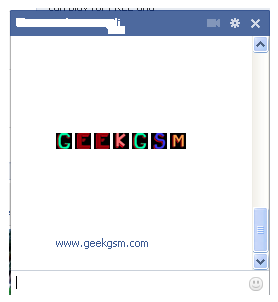
1. How to type colorful text for your status or chat
Want to impress your friends with something out of the box? If yes then follow our next steps. For typing any form of text in colorful way just paste following script for each letter:
[[107015582669715]] = A [[116067591741123]] = B [[115602405121532]] = C [[112542438763744]] = D [[115430438474268]] = E [[109225112442557]] = F [[111532845537326]] = G [[111356865552629]] = H [[109294689102123]] = I [[126362660720793]] = J [[116651741681944]] = K [[115807951764667]] = L [[106596672714242]] = M [[108634132504932]] = N [[116564658357124]] = O [[111669128857397]] = P [[107061805996548]] = Q [[106699962703083]] = R [[115927268419031]] = S [[112669162092780]] = T [[108983579135532]] = U [[107023745999320]] = V [[106678406038354]] = W [[116740548336581]] = X [[112416755444217]] = Y [[165724910215]] = Z
colorful-facebook-status-trick
2. Creating your own chat
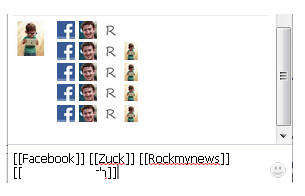
Want to chat with your friend in a different way? Well, you can if you want to. We have a trick by which you talk via pictures. You don’t need to upload them need to type them. For instance you want to show something related to mr.zuck, one of your friends, so, can show his profile pictures and type something with it. Just type the username in this way [[Zuck]] and profile picture would be sent in the chat.
create-your-own-facebook-chat
3. How to upload your pictures from flickr to Facebook
If you have some albums on flickr and want to share them over facebook then your problem would be solved now. You should download flikr2facebook, for this transfer this program will automatically transfer all the albums or photos you want to transfer.
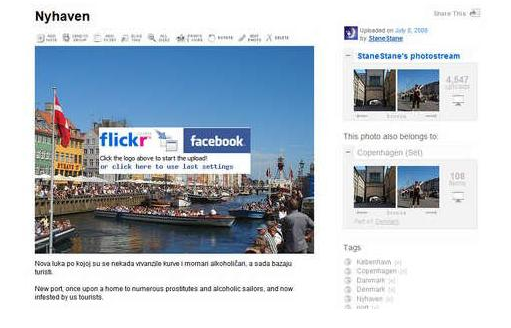
flickr2facebook 4. Scheduling facebook messages
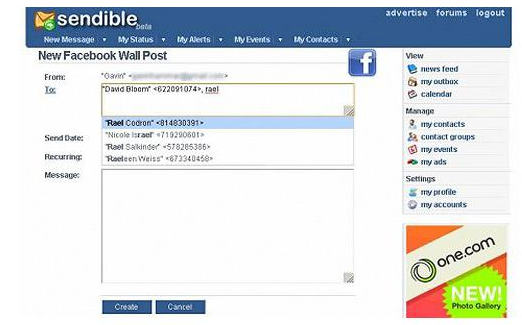
If you are using more than one messengers at a time or want to schedule your facebook messages then you should click here, you would here find a program for scheduling all you message at a single time. It’s fantastic software for people who want to deal people talking from more than one messenger.
sendible
5. How to hide your facebook status from the friends you want
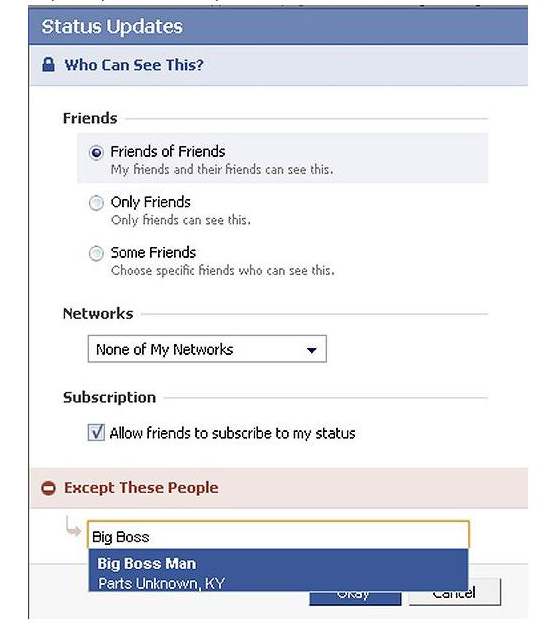
For hiding your status you need to need to change your privacy settings for this you will first go to privacy setting and from these go to profile tab. There you should go for status update setting there a page will open and you can under customize you can name the person you want to hide your status from.
hide-your-facebook-status
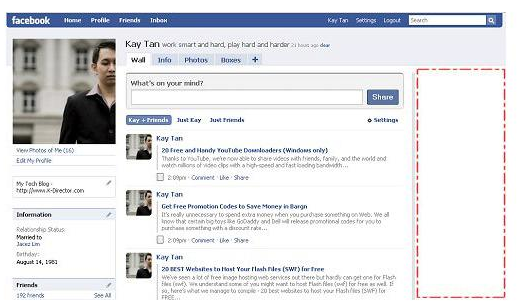
6. Removing unwanted ads on Facebook
If you want to get rid of ridiculous advertisement on facebook, then you should try Facebookcleaner it removes all the unwanted advertisements which makes your browser slow and makes the browsing faster too.
Remove Facebook ads trick
7. Access your facebook account from your desktop
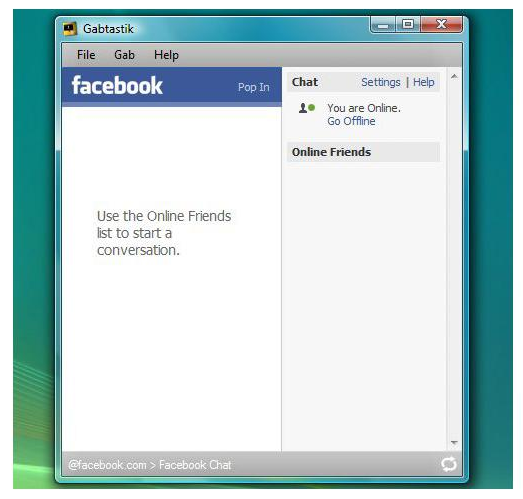
Don’t have time to visit facebook regularly now? Now get your facebook chatting on your desktop simply download Gabtastik and you can chat from your desktop with your friends.
gabtastik-script-fcebook
8. How to create Quiz on Facebook
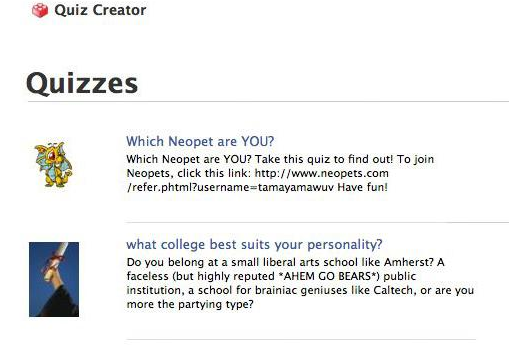
Have any question in your mind? Want to know it from your friend via quiz? Then there is no better place then facebook by going to LOLapps you can get a free quiz generator and have fun with your facebook friends.
Facebook-quiz-creating-tricks
9. How to display offline status to some of your friends
Don’t want to talk to some of your friends while remaining online? Well, you can do it now, it simple to do……….. Just go to your chat box and find a star there click it and go to advanced settings here you in the first write the profile names of the people whom you want to display offline status. As you write the names you would be shown offline in there chat box and originally you would remain online.
10. How to set your status remaining online on firefox
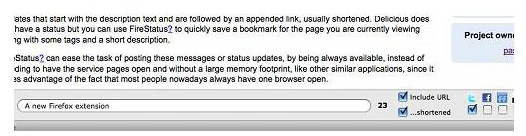
Using multiple social network and don’t have time to set the status regularly then useFireStatus, you can easily set your status with one button click to the leading social media sites. This will bring more efficiency and joy to your browsing experience.Firefox-status-facebook
So what are you waiting for, try these tricks incase they are new for you and enjoy :D

Posted By Krribss16:02

How to Easily Identify Font Used in any Image or Photo

Filled under: ,


 Today we will learn how to identify Which Font Is used in any Image or Photo that you Find on Internet. Many a times what happens is we come accross beautiful Images with Awesome Text on it. But We can't Identify what font is used to write that text. Or if you are into Graphic designing and all that stuff then this is a tailor made post for you.

To identify the font that is used to write on any photo, we will be using a web based tool. Yes thats right, A web based tool that Analyzes your Image that you upload
 and gives you output of what Font is used when creating the photo. So let us see how it is done.

How to Identify Font Used in any Image or Photo


So we will be using a Web based online tool called What Font is which i recently used to identify one of the font used in a Picture, So no more Guessing the Font name.

Step 1: As said earlier we will be Using a Web based tool which is What Font is. The link to the Website is http://www.whatfontis.com , So first Open it in a new tab and continue Reading.

Step 2: As you scroll down on the page, you’ll find “Browse” if you want to upload the image directly from your computer. Alternatively, you can just paste the URL of the image on the field provided. Just keep in mind that your image must be saved in JPEG (.jpeg, .jpg), GIF (.gif) or PNG (.png) format or else, it will be rejected.
Step 3: After uploading the image, select whether the background color is lighter or darker than the character colors. If you want more advanced options such as the option to display all fonts (whether free or not).

Step 4: After you’re done, just click “Continue” and wait while your image is being processed.
If the image is too complex for the tool to analyze, it will refer you to edit the font using an online image editor. 

Step 5: You will then be asked to select at least 4 to 10 characters out of the font before submitting it again. To refrain from getting this message, make sure that you’re submitting an image with a text written in just one line.

Step 6: If the online tool succeeds in identifying the image, you will be asked to enter the black characters in the empty text boxes. Just click “Continue” once you’re done.

So that’s it. The online tool will display a list of the font families that are identical to the font used in the image. The first result is usually the one that closely resembles the font that you want.

Posted By Krribss00:59

How to Add New Start Menu to Windows 7 & 8

Filled under: , ,

Do you wish to have a New start menu Which is not Same Boring that Every Windows User Uses ?
Then Here in this tutorial i will show you Two Great tools that will allow you to Add awesome new Start Menu. You can not just add new style Start menu but also can have your Programs and other awesome features.

The Best part is that these two tools works in both windows 7 and windows 8. So if you are using Windows 8 and missing the Start Button or menu right on the Desktop then Try these tools that you will like for sure. So let us see how to Get new Start Menu to Windows 7 and 8.

Adding New Start Menu to Windows 7/8

There are two Tools that i want to share today, 1 is available for absolutely free and other one have a free version which is awesome but you can also get the paid version if you dearly like it.

1: Start Menu Reviver:

This is one of the great tool that i am going to talk about. I recently Stumbled to This and i found it awesome and so wanted to let the visitors know about it too. You will get your new Start Menu just like the above picture.


Step 1: first of all Download Start Menu Reviver from HERE

Step 2: Install it and then Click on Start To see your new Menu.

You can add more programs to start menu just by Right Clicking and then Selecting Add tiles. There is much more to Explore and many more Features with it. Enjoy and play around it.

2. Start Menu X:

The 2nd tool that i want to Write is Start Menu X, This is a very popular tool and used by many many people.Start Menu X is available for Free and also Paid. The Free version is as good as the Paid one. You can download it for free from HERE and then Buy it if you like and to Support the Developer.

There is a Video and tutorials on how to Use and how your Start menu will actually look like on thier Official Site. Start Menu X works on Both Windows 7 and Windows 8. So again if you are a Win 8 User and missing the Start Menu, this is the tool that you want to download and use inorder to get it back.

So this is to it. These Tools are pretty helpful to Customize Start Menu in Windows and give it a whole new look. Do you use any other tool and want to share with us ? Let us know in Comments.

Posted By Krribss11:53

Amazing google tricks ...must try

Filled under: ,

GOOGLE TRICKS
------------------------------------------------------------------
We all use Google for searching but its time to explore the funny side of Google.Here I have collected the top 7 funny Google tricks that will amaze you.Some of the tricks are provided by Google itself while other have been developers....


1. Google Gravity:-

We all have read the Newton’s law of gravity.Does it also apply to Google?To test it follow the instructions,
Go to Google.com
Type Google Gravity
Click on I’m feeling Lucky
Now you will see the effect of gravity on google.The google icon will fall down automatically.You can even pickup and throw google icon anywhere

2. Google Pacman Game:-
Play Google Pacman Game

3. Change Background Image:-
You can also change the background image of google image.To change the background image follow the instructions,
Go to google.com
Click on the Change Background Image
Login with gmail username and upload Image

4. Epic Google:-

In epic google you will see the font size of google increasing automatically as if it will come out of your computer screen.To use google Follow the instructions
Go to google.com
Type Epic Google
Click on I’m feeling Lucky

5.Google Sphere:-

Google Sphere is a fun trick. It will start rotating all links on google in sphere. you can change rotation of sphere by moving cursor.Follow The Below Steps
Go to Google homepage
Type Google sphere
Click on I’m feeling Lucky

6. Google Hacker:-
want to see how the google homepage will look if it gets hacked .Follow the instructions below,
Go to google.com
Type Google Hacker
Click on I’m feeling Lucky

7. Annoying Google:-
In this trick the capitalisation of your searches will change automatically.Some words will change into small letter and some into capital letters in your search result.Want to try it follow the instructions
Go to google.com
Type Annoying Google
Click on I’m feeling Lucky

8. Google Loco:-
In This Trick Google Logo Will Dancing In Free Mod, To Try This Out Follow The Instructions,
Go To google.com
Type Google Loco
Click On I’m feeling lucky

Posted By Krribss17:31

Get Notification Everytime Someone Unfriends you on FB

Filled under: , ,

Notification Everytime Someone Unfriends you on FBUsers on Facebook are increasing Day by Day. We all tend to Spend Time on Facebook. We like to be friends with as many people as can. On an Avg Each user have 100-150 People in their Friend list. This number may be quite low, because many people now a days likes to be friend with unknown people too.

Though There is a limit of having 5.000 Friends on facebook for each user. Not many people would reach this milestone. Facebook Notifies you when you send friend request to someone and they accept it. They also notifies you if you have any New Friend request from others but 1 thing that facebook don't do is that you will not be able to see Who Unfriended you and when.

It Remains Mystery, You will not know until one day you find that person in your friendlist by his/her name. But Thanks to Extension Developers we have Chrome extension that Notifies you if someone Unfriends you. Let us see some steps so that next time if someone removes you from thier friend list you will get a notification.

Get Notified when Someone Unfriends You


Step 1: download and install  Unfriend Notify on Facebook Free Extension in Chrome.

Step 2: Simply Click Here to go to  the Extension in Chrome Webstore and Click on Free or Add to Chrome Button then click Add in the Popup.

Step 3: The Extension will now start downloading and you will the then see its been installed on your Chrome Browser. A new page will open, there just click on Activate.

Step 4: Now to see if the extension is been added successfully, go to your Timeline by clicking on your Name on your facebook. Click on Friends, You will see a new tab with name "Lost Friends" added there.

That's it Folks, I Recently heard of this thing and tried it and so thought of to share it on this blog with my readers...

Though i am Waiting for any Notification that So and so person has unfriended you., Try it and let us know if you like it and if it works for you in below Comment box. Your Input Will Be appreciated.

Posted By Krribss16:20

How to Run All Android Apps & Games on Windows PC

Filled under: , ,

Run All Android Apps & Games on Windows PCWhether you have an android device or not, there's several reasons you might want or need to run Android apps on your Windows PC. If you're an Android developer being able to run your own app in Windows could come in handy for testing and debugging. Or perhaps you just enjoy playing Android games but don't always want to be restricted to using a phone or tablet to play them.
If you have ever wanted to run Android apps on Windows then read on as I guide you through the entire process.

How to Run Andriod Apps on Windows PC


Install BlueStacks 


First things first, in order to run Android apps on your Windows PC you will first need to download and install a program called 'bluestack'.

This program is free and very simple to use. With it you can run any Android app directly on your Windows PC.

You can Download BlueStacks from Here
After you have downloaded it, installation is as simple as any another Windows program, just follow the on-screen instructions.

Set up the app store 

After you have installed BlueStacks you will need to set up the Google Play app store to work with it so that you can access and install apps from Google Play.

To do this you will need to open BlueStacks and go to "My Apps" and then click on "1-Click Sync Setup" which will open up a new interface that will guide you through the process of synchronizing your Windows PC with your Google Play account. If you do not already have a Google Play account, you can create a new one during the setup process.

Installing and running apps 

Once you have synced your Google Play account with your Windows PC you can now begin installing and running Android apps with BlueStacks.

To install apps with BlueStacks you will have to use the built-in search function which will search through 1Mobile, Amazon, and Google Play for the name of the app you entered. By searching through three different app stores you get a wide selection to choose from, and hopefully, you will be able to find the app you were looking for easier.

Once you have found the app you wanted you will be given the option to install it onto your Windows PC, just like if you were to install it on any Android device. Once the app is installed, you can return to your home screen and run it anytime you want.

There is one more Tool called Youwave that does exactly same as Bluestacks but youwave is not available for free.

Posted By Krribss16:11

Tips to Prevent & Get Rid of Spammy E-mails

Filled under: ,

In today's article we will talk about a Constant problem every inernet user Faces. Each of you probably received junk mail or spam in your e-mail inbox. The Spam Mails can be like Claiming that "You have won a jackpot of $$$ or you are a lucky Winner" "Claim your Price now". People with less to no knowledge about this spam may open them.

But  How to clear your email from spammers permanent posts touting various services, sometimes shocking and obscene messages? Many a times we recieve mails promoting Products.

Prevent & Get Rid of Spammy E-mails

1) Do not Submit Emails: 

Do not leave your E-mail on sites that are open to public access. Unaware of the first item people tend to leave their addresses in the comments on websites, forums and message boards. I have personally seen people leaving Comments with thier emails here on this blog. I simply do not approve thier Comments.

2.Use Different Email ids:

Use 2 or more number of Email ids for different purposes. For example, one ID  to register on websites and forums of your Interest.
Another ID must be personal and you must use it for correspondence with friends and acquaintances. Make sure you do not Publish your personal ID Publicly

3.Choosing if you want to Subscribe to newsletter:
I would like to draw your attention to one more Thing. When you make a registration for sites, blogs, forums, be sure to read the license agreement, as a rule, there is always spelled out the conditions under which will be produced newsletter. If you do not want to receive the newsletter, then feel free to remove the check mark from the "I agree to receive the newsletter with news."  This will Prevent getting emails from them.

4.Never Respond with spammers:

Never respond to spam emails. Many spammers cunning! They add to my post "the possibility of unsubscribing from the mailing list" If all the signs you see that message clearly has the character of "spam", do not Click and do not confirm unsubscribe from spam, otherwise the robot will process your request and add your mailbox to the database "live mailbox" and messages with spam will come from the New Source .

5. Mark E-mails as Spam:

If pesky Mails still come to your e-mail, do not open them. On all postal service 's and email clients have a function to mark emails as spam. All emails that you mark as spam will automatically appear in a special folder called "spam" After premises messages  in this folder, all messages from that address will be blocked and sorted separately.

Of course, there is no guarantee of Stopping spam. But thanks to the many these above tips you can significantly reduce the number of incoming "spam" in your inbox. You Can always Prevent Getting more Spammy mails from unknown People.

Posted By Krribss01:30