Showing posts with label FACEBOOK. Show all posts

TOP 10 UNKNOWN FACEBOOK TIPS AND TRICKS

Filled under: ,

Facebook-Tricks-Tips-and-Hacks-2015
 Here we are going to share the top 10 unkown facebook tips and tricks.Do you surf facebook for hours? And would like to have some additional functions to your tiny world of friends? Well, if yes then you are at the right place. In our today’s article we would be covering few of the best tricks that will make your facebook lot more efficient and joyous. So, let’s then get started:


1. How to type colorful text for your status or chat
Want to impress your friends with something out of the box? If yes then follow our next steps. For typing any form of text in colorful way just paste following script for each letter:
[[107015582669715]] = A [[116067591741123]] = B [[115602405121532]] = C [[112542438763744]] = D [[115430438474268]] = E [[109225112442557]] = F [[111532845537326]] = G [[111356865552629]] = H [[109294689102123]] = I [[126362660720793]] = J [[116651741681944]] = K [[115807951764667]] = L [[106596672714242]] = M [[108634132504932]] = N [[116564658357124]] = O [[111669128857397]] = P [[107061805996548]] = Q [[106699962703083]] = R [[115927268419031]] = S [[112669162092780]] = T [[108983579135532]] = U [[107023745999320]] = V [[106678406038354]] = W [[116740548336581]] = X [[112416755444217]] = Y [[165724910215]] = Z
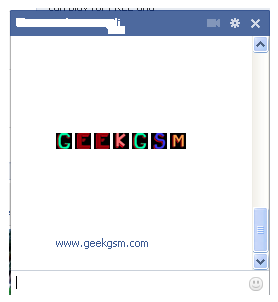
colorful-facebook-status-trick
2. Creating your own chat
Want to chat with your friend in a different way? Well, you can if you want to. We have a trick by which you talk via pictures. You don’t need to upload them need to type them. For instance you want to show something related to mr.zuck, one of your friends, so, can show his profile pictures and type something with it. Just type the username in this way [[Zuck]] and profile picture would be sent in the chat.
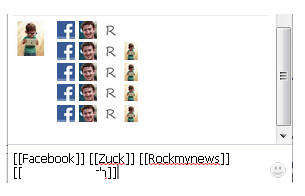
create-your-own-facebook-chat
3. How to upload your pictures from flickr to Facebook
If you have some albums on flickr and want to share them over facebook then your problem would be solved now. You should download flikr2facebook, for this transfer this program will automatically transfer all the albums or photos you want to transfer.
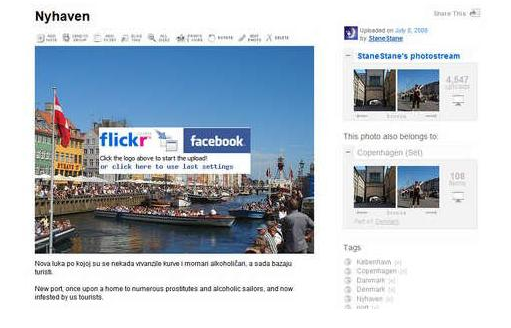
flickr2facebook 4. Scheduling facebook messages
If you are using more than one messengers at a time or want to schedule your facebook messages then you should click here, you would here find a program for scheduling all you message at a single time. It’s fantastic software for people who want to deal people talking from more than one messenger.
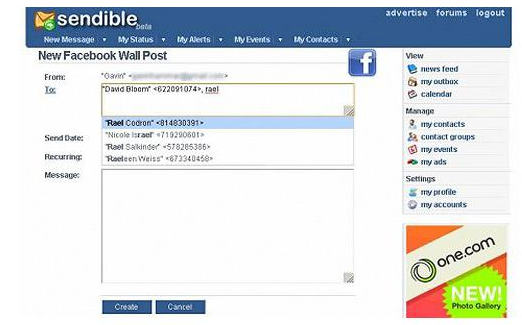
sendible
5. How to hide your facebook status from the friends you want
For hiding your status you need to need to change your privacy settings for this you will first go to privacy setting and from these go to profile tab. There you should go for status update setting there a page will open and you can under customize you can name the person you want to hide your status from.
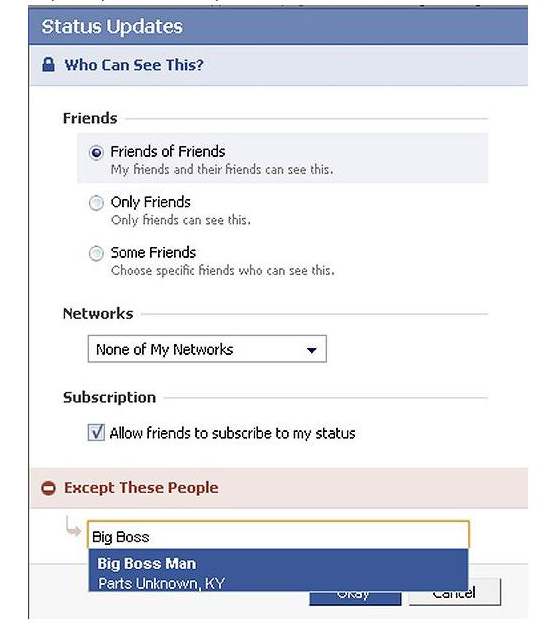
hide-your-facebook-status
6. Removing unwanted ads on Facebook
If you want to get rid of ridiculous advertisement on facebook, then you should try Facebookcleaner it removes all the unwanted advertisements which makes your browser slow and makes the browsing faster too.
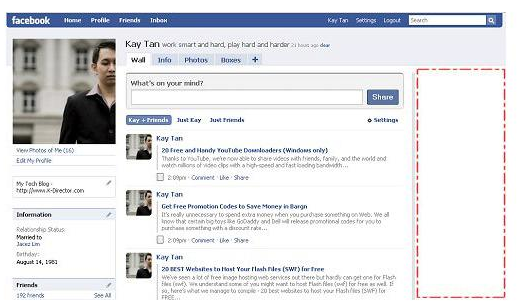
Remove Facebook ads trick
7. Access your facebook account from your desktop
Don’t have time to visit facebook regularly now? Now get your facebook chatting on your desktop simply download Gabtastik and you can chat from your desktop with your friends.
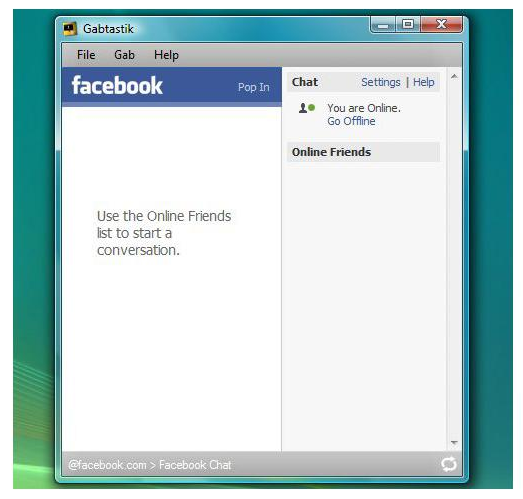
gabtastik-script-fcebook
8. How to create Quiz on Facebook
Have any question in your mind? Want to know it from your friend via quiz? Then there is no better place then facebook by going to LOLapps you can get a free quiz generator and have fun with your facebook friends.
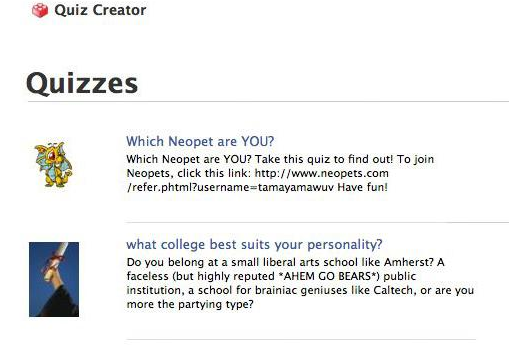
Facebook-quiz-creating-tricks
9. How to display offline status to some of your friends
Don’t want to talk to some of your friends while remaining online? Well, you can do it now, it simple to do……….. Just go to your chat box and find a star there click it and go to advanced settings here you in the first write the profile names of the people whom you want to display offline status. As you write the names you would be shown offline in there chat box and originally you would remain online.
10. How to set your status remaining online on firefox
Using multiple social network and don’t have time to set the status regularly then useFireStatus, you can easily set your status with one button click to the leading social media sites. This will bring more efficiency and joy to your browsing experience.Firefox-status-facebook
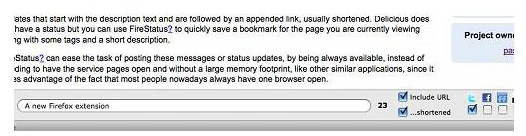
So what are you waiting for, try these tricks incase they are new for you and enjoy :D

Posted By Krribss16:02

How to Zoom any Picture on Facebook with just Mouse Hover

Filled under: ,

Facebook is the best place to Share about your personal life, Experience, places that you visited. Selfies are a trend now a days on facebook and other social media. Almost all user's Facebook newsfeed is Filled with photos and images. Whether your friend uploads a new photo or changes his/her profile picture, it is shows to you in your new feed.

But the Size of the photo might be small as default you will have to click on the image to view it in full size. If you want to see your friend's Profile picture that they recently changed then you have to goto thier profile and click on the picture to view it in full size.


Recently i came through a Chrome extension that Zooms any picture on just mouse hovering on it. Meaning after installing that Chrome Extension, whenever you wish to view any picture in full size you can just mouse hover on that pic to view it in full size. Live example can be seen in the Below Picture
As you can see in the above picture, just moving your mouse cursor on the picture brought the bigger and zoom sized pop up of that image. This is just similar how it was in images.google.com earlier.
Now let us see some detailed steps so that you can perform it too.

Zooming any Picture on Fb with just Mouse hover

This Magic happens on installing the Chrome Extention which is developed by its developer known as Regis.gaughan. Full credits goes to the developer. Follow the below simple steps.

Step 1: Download/Install Photo Zoom for Facebook Chrome extention from Google webstore.
Just Click here to open the extension page and click on Add button to add it to your Chrome Browser

Step 2: Once Installed you will see another tab Opened by the extension that confirms successfull installation, Now You can Open Facebook.

Step 3: On your facebook homepage, Just besides your Chat box you will see a Small Box have been added. If you see it then everything is fine and the extension is working properly on your Chrome.

Step 4: Surf through Any Picture on your facebook and just mouse hover on it, you will see the Full size of the picture as seen in the above mentioned picture.

Step 5: To disable the Extension just click on that small box that is visible near your Chatbox or go to Extensionpage in your browser and disable it from there.

Posted By Krribss00:54

Get Notification Everytime Someone Unfriends you on FB

Filled under: , ,

Notification Everytime Someone Unfriends you on FBUsers on Facebook are increasing Day by Day. We all tend to Spend Time on Facebook. We like to be friends with as many people as can. On an Avg Each user have 100-150 People in their Friend list. This number may be quite low, because many people now a days likes to be friend with unknown people too.

Though There is a limit of having 5.000 Friends on facebook for each user. Not many people would reach this milestone. Facebook Notifies you when you send friend request to someone and they accept it. They also notifies you if you have any New Friend request from others but 1 thing that facebook don't do is that you will not be able to see Who Unfriended you and when.

It Remains Mystery, You will not know until one day you find that person in your friendlist by his/her name. But Thanks to Extension Developers we have Chrome extension that Notifies you if someone Unfriends you. Let us see some steps so that next time if someone removes you from thier friend list you will get a notification.

Get Notified when Someone Unfriends You


Step 1: download and install  Unfriend Notify on Facebook Free Extension in Chrome.

Step 2: Simply Click Here to go to  the Extension in Chrome Webstore and Click on Free or Add to Chrome Button then click Add in the Popup.

Step 3: The Extension will now start downloading and you will the then see its been installed on your Chrome Browser. A new page will open, there just click on Activate.

Step 4: Now to see if the extension is been added successfully, go to your Timeline by clicking on your Name on your facebook. Click on Friends, You will see a new tab with name "Lost Friends" added there.

That's it Folks, I Recently heard of this thing and tried it and so thought of to share it on this blog with my readers...

Though i am Waiting for any Notification that So and so person has unfriended you., Try it and let us know if you like it and if it works for you in below Comment box. Your Input Will Be appreciated.

Posted By Krribss16:20

Blocking Facebook On Your Computer

Filled under: , ,

I had previously posted about Blocking And Unblocking any websites on your computer. In this tutorial i will teach you to specifically block facebook on your computer. This might be helpfull if you want to prevent students from using facebook in school colleges or your employees in office. If you are parent and don't want you child to use facebook or any other particular site then follow simple steps given below. So lets get started.

How To Block Facebook ?

1. Go to Start > Programmes > Accesories
2. Then Right click on Notepad and Run it as administrator.
3. Now open host file by clicking on File > Open and locate to following address
     C:\WINDOWS\system32\drivers\etc

4. Then just below # 127.0.0.1 localhost paste folowing code

# Blocking Facebook
127.0.0.1 login.facebook.com
127.0.0.1 www.facebook.com
127.0.0.1 apps.facebook.com
127.0.0.1 blog.facebook.com

5. Now save the host file and done.
6. Open any browser and try to open facebook. It won't open. If facebook opens then you might have done somthing wrong. (let me know if you face any problem)

Blocking Other Website

If you want to block website other then facebook then change facebook address with whatever website you want to block. For example: to block google paste following code below # 127.0.0.1 localhost
# block google
127.0.0.1 www.google.com

Posted By Krribss01:17

10 AMAZING FACEBOOK TRICKS

Filled under: ,

image3 300x240
Hello friends today I’m gonna show you Best Facebook Tricks ,as we all know very well that today Facebook became so popular, all time we can spend our all time on Facebook with our friends,relatives and many more other peoples,we can do chat and can share our views,ideas and thoughts with our buddies and we can keep stick with our friends.so in simple words we do fun any time with the help of Facebook.
So first we must  say thanks to Mr.Zuckerberg  for this amazing thing but now they are came with great Facebook Tricks.but i think with this fun and enjoyment  we should do some great pranks and tricks.That’s by I’m here with this post wherein I’m gonna show you some interesting tricks of Facebook and have much more fun and also gonna amazed your buddies.so read this post carefully.
Best Facebook Tricks 
1.)Download  Facebook Photo Album
It is really great because now you can download facebook photo album on one click,for this first you need to Login in your Facebook account,after this you can download pics album of your buddy that you want and after get download you can save it on your system
This app named as Facebook2zip.com .

2.)Send SMS for Free                          
Another trick is to sent sms for free of cost,it is very easy to do this and it will take no long time to send SMS it is very quick process,to send free sms you need to follow below steps:
  • Go on Facebook Chat Application and then you will see a screen saver like shown below
just type your text and send it,but keep one thing in your mind is one can only send four sms in same day.
3.)Clean/Remove Facebook Advertisement
You can remove Facebook adds by Facebook Cleaner with help of this you can remove facebook ads easily.
4.) Update Your Blank Status
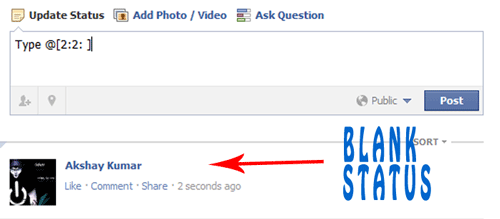
As you know that you can post blank update by typing @[0:0:] at your update box field,now you can make that blank status updated just by typing  @[3:3:] in your status box field.

5.)Trick To Download Facebook Videos
Friends the another trick from the list of Best Facebook Tricks 2014 this is other trick that is great .you can simply download Facebook  videos by using different methods .

First you can download facebook videos online just by entering URL of  the video as mentioned Enter URL Here
Second you can download with the help extentions,here you need to install extention,you can get this extention from here  now after get extention  installed it will appear a button at upper right corner of the browser.

 6.)Make Disable  last SEEN option in Facebook
Make SEEN option disable is sometimes become useful,you go on Fb Unseen  after this it will appear screen and just click on Added to Chrome  option,and after you get added it will became  enable on your chrome and now have fun.
7.)Find Who Un-friend you
Here you can know who is un- friends to you,for this you need to download an app unfriend alert and when it get downloaded it will appear on your Facebook account and you can get notice about who is friend to you.
8.)Post Status in all Facebook Group At One Time
To do this you need to go on Multi Post App and after that login your Facebook account and  now you can easily post status in all facebook at once.

9.)Trick to Watch Live Streaming
Now you can watch live streaming on Facebook,with the help of this app you can watch live streaming without ant cost.Watch Live Streaming app
10.)Trick To Update Status in Blue Color
You can update status in blue color just by entering code in status box field and the code is @@[1:[0:1: your text]]
Guys these were the best Facebook Tricks ,I just wish that they helped you and had  lots of fun.

Posted By Krribss00:08

How To Update Facebook Without Using Facebook

Filled under: ,

hellotxt and Ping.fm both introduced features that let Facebook administrators update Facebook Pages.
hellotxt

Posted By Krribss23:07

SEND MASSAGE TO YOUR FACEBOOK FRIEND EVEN WHEN YOU ARE BLOCKED

Filled under: ,

Now I will show you how to send message to someone who has blocked you on FB . This trick is too easy and can be done in 3 steps .


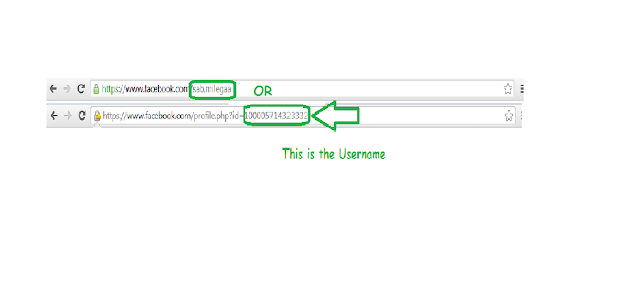
1.First go to the profile of the friend you want to send Message . Now Note Down The username of that friend . See in Image Below .


.2.Now open your E-mail Account and compose an E-mail 

  • In To or Reciever's Field Write Username@facebook.com { Like sab.milegaa@facebook.com in our case } and Write your message . Send the Mail .

    That's Done . Isn't it too easy ? And Not only that if the reciever or your friends sends you message back it will be recieved in your E-mail Inbox :)

    Enjoy !
  • Posted By Krribss20:31

    TURN OFF AUTO-PLAY VIDEO ON FACEBOOK

    Filled under: ,

    18 Cool Internet Tricks You Didn't Know About GO to facebook.com/settings, click “video” on the left tool bar, then select “Off”. Auto-play video be gone!

    Posted By Krribss01:27

    Get rid of annoying Game Request from Facebook Friends

    Filled under: ,

    Block game requests on facebookCandy Crush is a very popular game on Facebook. Some people just login to play candy crush and other games and send game invitations to other. While many other people like you and me, do not waste time playing games on facebook due to some or other reasons.

    You might be the Victim of recieving atleast 5-10 game requests from your friends who do not stop playing games and keeps annoying you by sending game invitations.


     Because of many reasones, one may want to get rid of these annoying game requests on facebook but do not know how to. So here in this post i will take you through steps to Block game requests from facebook friends.

    Below steps will teach you how to block any app or game to send you notifications or game requests on facebook.

    Step 1: Login to your facebook account.

    Step 2: Click on small Cog icon on top-right. which will show you a drop down menu, in which you will select "Settings"
    Step 3: Now on the next page, Click on blocking which you will find on the left hand site.

    block facebook game requests

    Step 4: Now Scroll down to Block Apps and start typing the name of the app that you want to block on facebook which means you do not wish to get invitations from that particular game or app.

    For eg: In the below picture i typed Candy crush to be able to select Candy crush saga from a drop-down list of apps.


    Similarly if you want to block some other app or game just start typing the name and facebook will automatically show you suggestion.

    Thats it, you have now succesfully blocked Candy crush saga and you might not recieve any notification or game request from your friends.


    Turn of Notification from apps that your previously Used.


    • In Above steps we saw how to permanently block any app or game on facebook but what if you have used an app previously on facebook and you are bound to recieving notifications from that app weekly or daily.
    • There is a way to stop these notifications too. All you have to do is goto Settings, Click on Apps from the right pane, On the next page you will be able to see the list of all apps that you previously used.
    • You can now click on Edit for the app that you want to remove from the list or for the app you want to stop the notifications.
    • Now you Can click on Remove app to completley remove it or Select "Never" where it says "When to notify you?"

    Block game requests on facebook

    So these were 2 Methods that will help you to Block Games requests and Notifications from your facebook friends. 

    I hope this guide will help you but if you have any trouble in performing the above mentioned steps then feel free to let me know about it. I would also like to hear from you about this post so kindly leave few words in the below comment box.

    Posted By Krribss00:07

    Keyboard Shortcuts For Facebook

    Filled under: ,

    facebook keyboard shortcuts
    Facebook is one of the most popular social networking site where most of us spend hours chatting and surfing on facebook. So here are some usefull facebook keyboard shourtcuts for Google chrome and mozila Firefox users.

    Mozilla Firefox

    • Shift+Alt+1: View your news feed
    • Shift+Alt+2: View your own Profile
    • Shift+Alt+3: View pop-up of friend requests
    • Shift+Alt+4: View pop-up of messages
    • Shift+Alt+5: View pop-up of notifications
    • Shift+Alt+6: View Account Settings
    • Shift+Alt+7: View Privacy Settings
    • Shift+Alt+8: View Facebook’s own profile
    • Shift+Alt+9: Read latest Terms of Service agreement.
    • Shift+Alt+0: Open Facebook help Center

    Google Chrome

    • Alt+1: View your News Feed
    • Alt+2: View your own Profile
    • Alt+3: View pop-up of friend requests
    • Alt+4: View pop-up of messages
    • Alt+5: View pop-up of notifications
    • Alt+6: View Account Settings
    • Alt+7: View Privacy Settings
    • Alt+8: View Facebook’s own profile
    • Alt+9: Read latest Terms of Service agreement.

    Posted By Krribss21:51

    Paste Blank Status On Facebook

    Filled under: ,


    facebook tricks

           Today i will show you simple Facebook Trick how to publish single line or multiple line blank status on facebook. You can also use this method in facebook comments. So lets get started.

    For single line Blank Status

    • Copy below codes into your status
    @[0:0: ]
    • Note:- the text is like @[0:0:space]
    • Don't write space where i have written space rather press spacebar.

    For MultiLine Blank Status :

    • Paste as shown below in your status.
      @[0:0: ]
      @[0:0: ]
      @[0:0: ]
      @[0:0: ]
      @[0:0: ]
      @[0:0: ]
      • Note there is space after 0:

      Another method

      • Paste below codes into facebook status
      @[2:2: ]
      • Done 

      Posted By Krribss21:41